Show me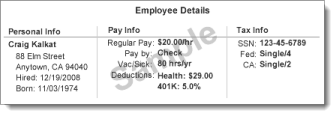
The most common error on W-2s is mismatched Social Security numbers, so double check your employee names and Social Security numbers.To ensure employee W-2s are accurate, verify employee details, especially Social Security numbers, before you run your final payroll:
If you have employees who no longer work for you (but were employed anytime during the tax year), you can confirm their W-2 details by clicking the Employees tab, choosing Show: All employees, and then clicking the employee's name.
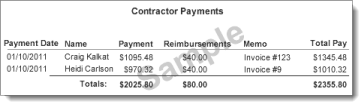
If you have contractors, confirm details with them as well to ensure 1099s are accurate. To confirm totals paid for the year, run the Contractor Payment Details report.
We'll be providing W-2s to all active, inactive, or terminated employees you paid in the tax year, so be sure to verify their names, addresses, and Social Security numbers. Click the Employees tab, select Show: All employees, and then click the employee's name.
Sure! Click here to display the 2016 Year-End Calendar (pdf).